myPennMedicine
- 4.4
- Rating
- 100.00K
- Installs
- Free
- Price

 Analysis by App-foxy
Managing medical care is rarely difficult because of one big task. It is usually the small jobs that create friction: finding a test result, checking an appointment time, sending a question to the care team, or remembering which document contains the information you need. myPennMedicine is designed to bring those patient-account tasks into one mobile place for people who receive care through Penn Medicine.
I found its purpose refreshingly focused. This is not a general health encyclopedia, symptom checker, or fitness tracker. It is a medical patient portal app built around access to your own care information. That narrow focus is also its main strength: when you already use Penn Medicine, the app can be more practical than searching through email, calling for routine information, or opening a browser every time you need to check your records.
The app is free, available for Everyone, and developed by Penn Medicine. Its current version is 11.7.3, and it requires at least iOS or Android 11. The listing shows a 4.6 average from around 1.2 thousand ratings, with more than 100 thousand installs. Those figures suggest that it has become a familiar digital doorway for many Penn Medicine patients, but the more important question is whether it fits the way you actually manage care.
You May Also Like

 Blood Strike: 2.5 Anniversary
Blood Strike’s Loadouts Turn Every Drop Into a Tactical Gamble
A close look at Blood Strike’s custom loadouts: how fast access to signature weapons reshapes its battle royale rhythm, rewards preparation, and narrows the gap between fights.

 Pandora - Music & Podcasts
Pandora’s Music Is Easy to Start, but Harder to Recover
Pandora’s strength is its low-effort path from a seed to a station. Its weak spot is how much confidence it asks you to place in connection, setup, and quiet recovery.

 8 Ball Pool
 Is Built on Rivalries, Rematches, and Routine
A close look at the rivalries, rematches, shared routines, and unanswered safety questions that turn a quick pool match into a persistent mobile community.

 Samsung Music
’s Quiet Strength Is Playing What You Already Own
Its reach comes less from spectacle than from dependable access to a personal library. That simplicity is both the app’s strongest retention engine and its ceiling.

 AccuWeather: Weather Radar
AccuWeather Review: A Quick, Clear Forecast for Everyday Decisions
For everyday plans, the best forecast is the one you can understand quickly. AccuWeather makes rain timing, radar, and local conditions easy to act on, with a few trade-offs.

 Hill Climb Racing
Why Hill Climb Racing Still Turns Crashes Into One More Run
A tiny car, a bumpy hill and one more upgrade: Hill Climb Racing keeps resurfacing because its simple chaos makes every near-miss feel personal.
More From Our News Desk



What to expect before you begin
The first thing to understand is that myPennMedicine is useful because it connects to an existing patient relationship. Installing it does not turn it into a universal medical record for every doctor or hospital you have ever visited. Its value depends on your Penn Medicine account and the information associated with that account.
That makes the app especially suitable for people who want a convenient view of their Penn Medicine care while away from a computer. I would consider it a good match for someone with recurring appointments, ongoing treatment, recent lab work, or a family member whose care requires frequent checking. It is also helpful for people who dislike keeping appointment details in several places.
I would not install it expecting medical advice on demand. It is not the right tool for diagnosing a new symptom, replacing urgent care, or organizing records from unrelated providers. In an emergency, the sensible choice remains emergency services or immediate professional help, not a patient-portal screen.
Compared with a normal web browser, the app’s appeal is convenience. A browser portal may offer similar account functions, but an app is easier to reach when you are standing in a pharmacy, sitting in a waiting room, or trying to confirm a detail before leaving home. Compared with calling a clinic, it can reduce the need to wait for routine information. The trade-off is that a portal cannot answer every question instantly, and medical information may still require context from a clinician.
My advice is to approach the first session with one practical goal. Do not try to explore every corner immediately. Decide whether you want to confirm an upcoming appointment, review a recent result, or contact the care team. A clear first objective makes the setup feel less like paperwork and more like a useful test of whether the app belongs in your daily routine.
Setting up access without unnecessary confusion
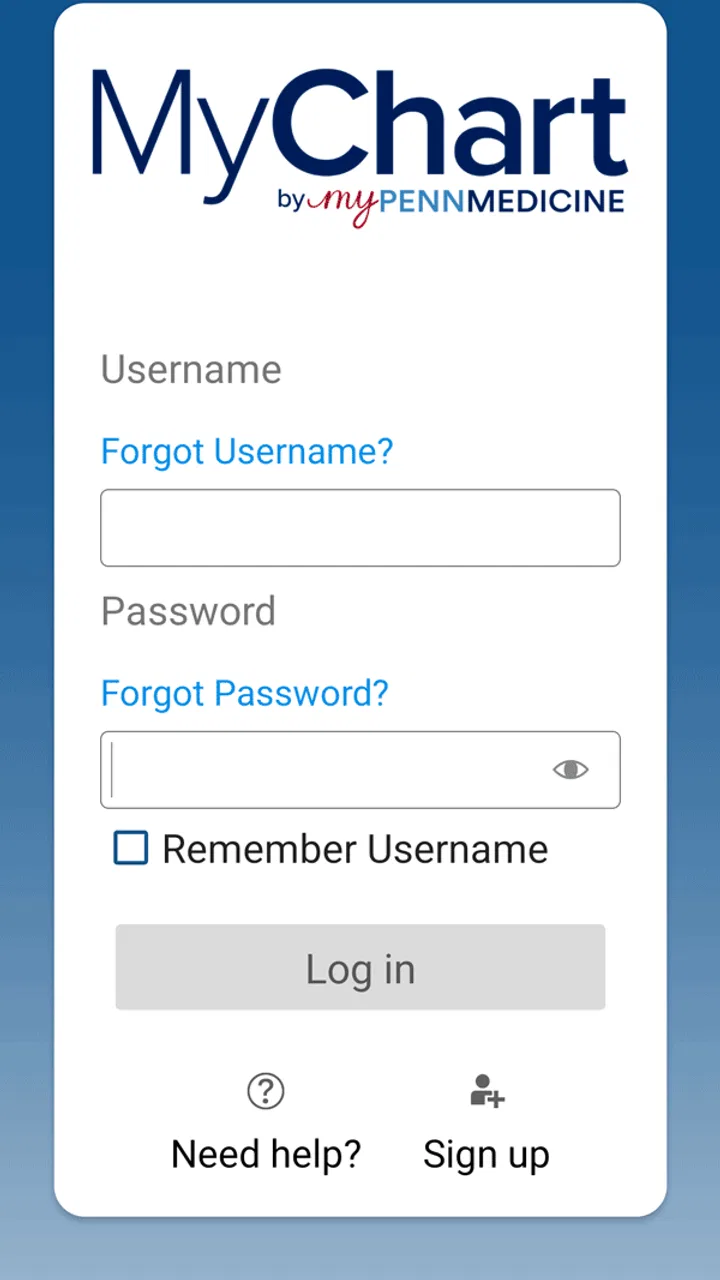
The setup process is best handled when you have time to concentrate. Use the account connected to your Penn Medicine care rather than creating a separate identity that you will later have to reconcile. If you already use the patient portal elsewhere, keep your login details available and make sure you are entering information carefully. Small typing mistakes are especially frustrating in a health app because repeated failed attempts can make users worry that something is wrong with their medical account.
Before signing in, I recommend checking that your device meets the minimum operating-system requirement. If the phone is running an older version than iOS or Android 11, the installation experience may not be straightforward. This is a simple detail, but it is one of the easiest ways to avoid blaming the app for a compatibility problem.
Once access is available, take a moment to confirm that you are looking at the correct patient account. This matters even more when a household shares devices or when someone helps a parent, partner, or child manage appointments. A portal should be treated like a private filing cabinet, not a casual shared app. Use the account deliberately and avoid leaving sensitive information open on a device that other people regularly use.
A useful first-session habit is to identify how the app presents the main areas of care information. Look for the sections related to appointments, records, results, and communication, then return to the one that matches your immediate need. You do not need to memorize the entire interface. The goal is to learn the app’s basic map so that the next visit is quicker.
One non-obvious benefit of doing this early is that it exposes gaps in your expectations. You may assume that every piece of information from every provider will appear in the same place, while the app is really centered on Penn Medicine records. Recognizing that boundary prevents a common mistake: treating an incomplete view as proof that a document or result does not exist anywhere.
The first meaningful success: completing one real task
For a first successful action, I would start with an upcoming appointment or an existing record rather than a complicated administrative request. Open the relevant area, read the details slowly, and make sure the information matches what you expect. This gives you an immediate answer to the most important beginner question: can the app show the Penn Medicine information you installed it to access?
If your goal is appointment management, use the app as a preparation tool rather than merely a calendar replacement. Check the details before leaving home, then note any practical information you personally need to remember. The app can be the source you consult, while your phone’s calendar or a written reminder can remain the backup. I prefer this two-step approach because it separates official information from personal reminders.
If your goal is reviewing results, resist the temptation to interpret every number alone. The useful action is locating the result and understanding which part of the record it belongs to. A result displayed in an app is still a clinical result, not an automatic explanation. If wording is unclear or the result causes concern, use the appropriate clinical communication route rather than relying on a search engine or guessing from a single value.
Communication is another practical test. If the app provides a way to contact the care team for your account, write a concise message with the relevant context. Include what you are asking and what information you already checked. A focused message is easier to understand than a long description that mixes several unrelated issues. This is one of the places where a patient portal can be more effective than a phone call for a non-urgent question, although it should never be treated as an instant emergency channel.
After completing the task, sign out or secure the device according to your normal privacy habits, especially if you used a shared phone or someone else’s tablet. That may sound obvious, but medical apps are often used in public places, and convenience can make people careless. The best workflow is one that saves time without making privacy an afterthought.
Where first-time users can misread the experience
The most common confusion with a patient portal is assuming that “personal medical records” means “all medical information everywhere.” myPennMedicine is specifically tied to Penn Medicine patients. If you recently visited an independent specialist, another hospital, or a service outside that system, you should not automatically expect the same information to appear here.
A second source of confusion is timing. Medical information is not always visible at the exact moment a patient expects it. A visit, test, or message may involve clinical review and administrative processing before it appears in the account. If something important seems missing, check the surrounding details and contact the appropriate Penn Medicine office rather than repeatedly refreshing the app.
Another mistake is reading a portal as though it were a conversation with a doctor. A record can show what was documented, but documentation and explanation are different things. I think the app works best when it helps you arrive at a conversation prepared: you can review what is already recorded, identify the part you do not understand, and ask a more precise question.
Notifications and reminders also deserve a realistic approach. Even when an app makes information easier to reach, I would not rely on one digital channel for every important appointment or medication-related responsibility. Keep a personal backup for dates that matter. This is not a criticism unique to myPennMedicine; it is a sensible safeguard whenever health information is spread across portals, calendars, messages, and paper instructions.
Families may face another boundary. Helping someone else does not automatically mean that their records should be opened under your own account. If you manage care for another person, use the access arrangement provided by the healthcare organization rather than informally sharing credentials. That keeps the record associated with the right patient and reduces the chance of mixing two people’s information.
Small workflows that make the app more useful
My favorite way to use a patient portal is before and after an appointment. Before the visit, I review the information already available and write down the questions I do not want to forget. Afterward, I return to the account to check what was recorded and to keep my own notes aligned with the official record. This turns the app from a passive archive into a preparation and follow-up tool.
A second useful workflow is to use it during a transition between appointments or tests. Instead of searching old email threads, I begin with the patient account and look for the relevant record there. This is particularly helpful when I remember the medical event but not the exact date or wording. The trade-off is that the app only helps when the information belongs to the Penn Medicine account, so I still keep outside-provider documents separately.
A third insight is to treat the app as a verification point, not the only place where you store personal organization. For example, I might check an appointment in myPennMedicine, then put the date into my calendar with travel time and a reminder to bring questions. The portal remains the authoritative place I consult for care details, while the calendar handles my day-to-day planning.
It is also worth learning the difference between information you can simply view and actions that may require a response from staff. A displayed record is immediately useful for reference. A message or request may involve a later reply. Keeping those two situations separate helps prevent disappointment and avoids sending repeated requests because an answer has not appeared instantly.
For users with recurring care, a short routine can make the app feel much less intimidating. Open it at a calm moment, check the next appointment, review any newly relevant record, and close it when finished. You do not need to browse every section on every visit. A focused routine is safer and more sustainable than constantly checking for changes.
Who should use it, and who should choose another route?
I would recommend myPennMedicine to Penn Medicine patients who want a direct mobile way to reach their own care information. It is particularly well suited to people who have several appointments, want to prepare questions before visits, or prefer digital access to calling for every routine detail. The free price also removes the usual hesitation about trying a portal app, provided the healthcare relationship and device requirements fit.
It can also be a practical support for a caregiver, but only when the account and access are handled correctly. The value comes from organized, authorized access—not from passing a password around. If you are helping someone manage care, agree on a simple routine for checking information and recording questions, while keeping the patient’s privacy in mind.
I would skip it if you are looking for general medical education, symptom triage, exercise tracking, or a single record that combines every healthcare provider. Those are different needs. A general health app may be better for learning about conditions, a calendar may be better for personal reminders, and a provider-specific website may be preferable if you rarely use a phone or need a larger screen for detailed reading.
The browser alternative is also reasonable for occasional users. If you only check your account once every few months and prefer not to add another app, the web portal may be enough. The mobile version becomes more compelling when access is frequent or when you need to check information away from a desk.
There is a broader limitation worth stating plainly: convenience does not remove the complexity of healthcare. The app can make records easier to reach, but it cannot guarantee that every question will be answered immediately or that every clinical detail will be self-explanatory. I value it most as a reliable starting point for an informed conversation, not as a substitute for that conversation.
My next-step recommendation after installation
After installing myPennMedicine, I would not judge it by how many screens it contains. I would judge it by whether I can complete one useful task without reaching for a phone number or a laptop. Sign in carefully, confirm that the account is yours, locate the area connected to your immediate need, and verify one piece of Penn Medicine information.
Then create a personal habit around that success. Before an appointment, use the app to review what you already know and prepare questions. Afterward, check the record when appropriate and keep separate personal reminders for dates and logistics. If information seems absent or confusing, treat that as a reason to contact the right office, not as an invitation to guess.
Released on September 16, 2019, and now at version 11.7.3, the app has the maturity of a focused patient-access tool rather than the novelty of a general wellness product. My overall view is positive for the audience it is actually built for. myPennMedicine is most valuable when you already receive care through Penn Medicine and want a secure, practical first stop for your own records. If that describes you, the free installation is easy to justify. If it does not, another health app or your existing provider’s system will probably serve you better.
FAQs for myPennMedicine
01What is myPennMedicine and how does it benefit users?
myPennMedicine is a secure online platform that allows patients to manage their healthcare with ease. Users can schedule appointments, view test results, communicate with healthcare providers, and manage prescriptions. This app enhances patient engagement by providing convenient access to important health information and services anytime, anywhere.
02Is myPennMedicine available for both Android and iOS devices?
Yes, myPennMedicine is available for download on both Android and iOS platforms. You can find it in the Google Play Store for Android devices and the Apple App Store for iOS devices, ensuring broad accessibility for all users wanting to manage their healthcare on the go.
03How secure is myPennMedicine in protecting my personal health information?
myPennMedicine prioritizes user privacy and security by employing robust encryption methods and secure login procedures. The app complies with HIPAA regulations to ensure that all personal health information is protected against unauthorized access, giving users peace of mind when managing their healthcare online.
04Can I use myPennMedicine to communicate directly with my doctor?
Yes, myPennMedicine offers a messaging feature that allows users to securely communicate with their healthcare providers. This function enables you to ask questions, discuss health concerns, and receive feedback from your doctor without needing to schedule an in-person appointment, making healthcare more accessible and convenient.
05Are there any costs associated with using myPennMedicine?
myPennMedicine is a free app available to all patients of Penn Medicine. While the app itself is free to download and use, standard data charges from your mobile carrier may apply. Always check with your provider to ensure you understand any potential costs related to mobile data usage.
Pros
- User-friendly interface for easy navigation.
- Secure login with two-factor authentication.
- Access to medical records anytime
- anywhere.
- Appointment scheduling is straightforward.
- Direct messaging with healthcare providers.
Cons
- Limited features for non-English speakers.
- Occasional login glitches reported.
- No offline access to medical records.
- Some users find notifications excessive.
- Limited customization of notification settings.

myPennMedicine
Gallery